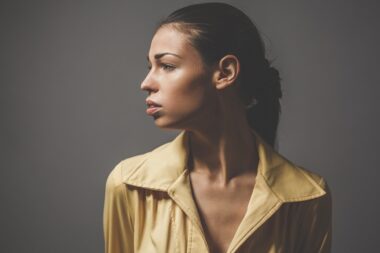

Sample Poses for a Compelling LinkedIn Profile Picture
Your LinkedIn profile picture is your first impression on potential employers and connections. A great pose can communicate professionalism and confidence. One effective pose is the relaxed yet strong stance. Stand up straight with your shoulders back, leaning slightly forward to engage the viewer. Ensure your face is visible and expressive, giving a warm smile that makes you approachable. This pose radiates confidence and professionalism, which are key traits people look for. Ensure your background is simple and unobtrusive to keep the focus on you. Another excellent pose involves having an arm crossed over your chest, indicating a self-assured demeanor. This can convey charm by adding some personality to your shot. Aim for a friendly yet sharp expression that balances approachability and professionalism. Dress smartly, as outfits should reflect the job industry you’re aiming for. Men may opt for tailored suits or smart casual attire, while women might choose blouses or blazers. The right choice can enhance your profile picture. Remember to experiment with angles, as a slight tilt can reveal your best side while avoiding harsh lighting that muddles facial features.
Aside from the classic poses mentioned, including a candid, action-oriented photo can really enhance your LinkedIn profile. This might involve engaging in an activity relevant to your profession, creating a dynamic and interesting visual. For instance, if you’re in marketing, a shot of you brainstorming in a meeting might resonate well. Ensure it still follows standard tips by keeping a professional edge in clothing and grooming. Make sure any other individuals in your candid shots are not distracting, ensuring the focus remains on you. Aim for good lighting as well, which can dramatically improve the quality of your photo. Natural lighting often works best, so consider outdoor settings or bright office spaces. Additionally, consider varying your poses between smiling and serious expressions. This gives you flexibility in how you appear professionally. Some may prefer smiling softly for a friendly touch, while others may wish to project greater seriousness. A few different images can lend depth to your presence on LinkedIn. Furthermore, always resize your photo correctly for the platform specifications, ensuring clarity when viewed on different devices.
Choosing the Right Background for Your Photo
Choosing the right background is crucial to creating a compelling LinkedIn profile picture. The background can significantly affect how you are perceived. Opt for a background that is simple, clean, and doesn’t distract from your figure. Neutral colors like grays, blues, or soft whites tend to work best, providing a professional setting without overwhelming distractions. Steer clear of busy patterns or dark colors that clash with the attire you are wearing. Natural backgrounds can work well too; consider a blurred park scene or a well-lit office environment. These options promote a relaxed yet professional feel. If you decide on an urban background, ensure it encapsulates professionalism. Urban architecture can project progressiveness and ambition but should not overshadow you. Additionally, ensure there’s sufficient distance between yourself and the background to prevent blending into it. While photographing in public, try ensuring minimal interruption from passersby, as it could affect the overall professionalism of your shot. Plan the timing correctly, too; golden hour can enhance the light quality, making your features look even more refined in the picture.
Incorporating props can add intriguing elements to your LinkedIn profile picture, but use them judiciously. The key is to choose items that represent your professional identity effectively and can enhance your story. For example, holding a notepad, laptop, or a coffee cup can create an inviting scene, signaling that you’re engaged and ready to collaborate. Avoid cluttered designs that don’t communicate your professional persona clearly. Keep in mind that the prop should complement your image without overpowering you. Attention should always remain squarely on you. Additionally, keep check of your posture when holding props; maintain an open stance that invites engagement. This will ensure that even with a prop, you emanate confidence. Aim not to position props in such a way that they block out essential features of your face, like your eyes. Experiment with how you manipulate the props in the picture to see what feels natural and authentic. Lastly, avoid using too many props which could complicate the shot. Maintain focus on creating a simple, yet communicative, image that reflects your professional self within the industry you’re a part of.
Expressiveness and Emotion in Your Photo
Aside from posture, expressiveness plays a vital role in how your LinkedIn profile picture is received. Users gravitate towards friendly, warm expressions. A genuine, relaxed smile can present you as approachable while multitudes of users look for this authenticity and connection potential. Practice smiling before the camera, watching your eyes as they light up alongside that smile for a natural, inviting look. Conveying emotions through your expressions can also help to express your professional passion. For instance, if you’re an artist or creative, a joyful, vibrant photo may reflect more of your character than a serious one. Alternatively, individuals working in finance may want a more neutral, composed look as it conveys professionalism and trust. Capture several shots during your photo session, allowing you to choose the most effective expressions afterward. Also, take feedback from trusted friends or colleagues on which image they think represents you best. They may assist in gauging how well your expressiveness conveys the right message while building a connection. Remember that authenticity shines through, making it essential to relax and enjoy the photo-taking process.
Avoiding common mistakes when taking your LinkedIn profile picture is vital for success. One common error is not considering the framing of your photo. A professional profile picture should focus clearly on your face. Avoid full-body shots; instead, choose head-and-shoulders framing that appropriately highlights your facial features. Ensure there’s also adequate headspace above you to avoid a cramped appearance. Lighting plays an equally critical role; avoid harsh lighting or deep shadows that can obscure or distort certain features of your face. If the photoshoot is indoors, select an area with abundant light or, if feasible, use a ring light to achieve a professional finish. Wearing clothing that distracts or clashes with the background can also detract from your image. Hence, it is essential to match thoughtfully with the chosen background. Misalignment of colors will diminish the quality of your overall picture. Additionally, avoid wearing too much makeup or overloading heavy accessories as they might detract the focus from your face. All of these essential elements contribute to crafting a successful and inviting LinkedIn profile picture.
Editing Your LinkedIn Profile Picture
Editing your LinkedIn profile picture can improve its overall quality, presenting you as polished and professional. However, exercise restraint when choosing to edit; over-editing can result in a digital appearance that feels unrealistic. Lightweight edits like cropping for better framing, adjusting brightness, or enhancing contrast are perfect. These subtle changes can polish your image without stripping away authenticity. Utilize basic tools or apps that allow straightforward processes. Aim for a crisp appearance while maintaining your natural features. Avoid heavy filters that shift colors unrealistically, often creating distractions. Instead, strive to bring out natural tones that flatter your features and match your personality. If your workplace projects a standard protocol regarding dress codes, ensure that your attire in the image matches, editing the colors for consistency when needed. You may want to soften any visible minor blemishes or distractions but keep your identity clear. Third-party opinions can be beneficial, as seeking feedback from trusted colleagues helps gauge whether or not the edits maintain your professional essence. Displaying a genuine image retains approachability, crucial for making meaningful connections on LinkedIn much more effortless.
As you wrap up creating your compelling LinkedIn profile picture, remember that authenticity is paramount. Your photograph should genuinely represent you as both an individual and a professional, striking a balance between the two effectively. Researching how others in your field represent themselves can offer inspiration, informing your angle on how you want to present yourself. While aiming for a polished image, ensure it still provides a window into your personality; after all, LinkedIn connects professionals. Keeping consistency between your online presentation and your real-life persona nurtures credibility. Moreover, stay current with LinkedIn’s platform updates, which may include guidelines regarding image dimensions. Regularly updating your profile picture as your career evolves is equally important, maintaining relevance and attractiveness to potential employers. New photos can reflect not only your professional advancement but also shifts in your personal style. Ultimately, taking time to become aware of the various aspects affecting impressions through a profile picture can ensure your visual representation consistently showcases the best version of yourself. Your LinkedIn profile picture can open doors and network opportunities, offering advantages leading to career growth when executed thoughtfully.