
How to Balance Music and Commentary Using External Audio Mixers
Live streaming has become a vital tool for content creators, gamers, and businesses alike. A key aspect of producing high-quality live streams is audio management. Using external audio mixers can significantly enhance your audio quality and allow for a more professional presentation. The ability to balance music and commentary is crucial for engaging viewers and ensuring clear communication. Proper audio setup minimizes distractions and gives your audience an immersive experience. External audio mixers offer extensive control over sound levels, EQ adjustments, and audio sources. By utilizing these devices, you maintain the clarity of your voice while allowing background music to complement your commentary effectively. You need to understand how to set levels correctly to ensure neither the music nor commentary overpowers each other. Additionally, you should familiarize yourself with the specific features of your audio mixer, including effects, filters, and routing capabilities. Investing time to learn these tools pays off, resulting in superior audio quality, which is essential for keeping your viewers’ attention. Remember to test your audio setup before going live to avoid potential issues.
Now, let’s delve into the essential tips for achieving that perfect audio balance. First, consider the placement of your audio sources when utilizing external mixers. It helps to have an organized workspace where you can easily access both the commentary and the music audio signals. The first step is to ensure that your microphone is set to the right level. Too loud, and it will clip; too soft, and it will be buried beneath music. An audio mixer lets you adjust these levels easily. Second, adjust the music volume so that it accompanies your voice rather than competes with it. Generally, the background music should be set lower than the commentary. A good starting point is to place the music level approximately 20%-30% lower than your main voice. Finally, it’s important to utilize the mixer’s capabilities to pan audio sources if necessary. This helps in distinguishing between the commentary and the music frequencies, allowing for a clearer sound profile. Don’t hesitate to experiment with different settings during your rehearsals to determine the optimal balance.
Understanding Audio Mixer Features
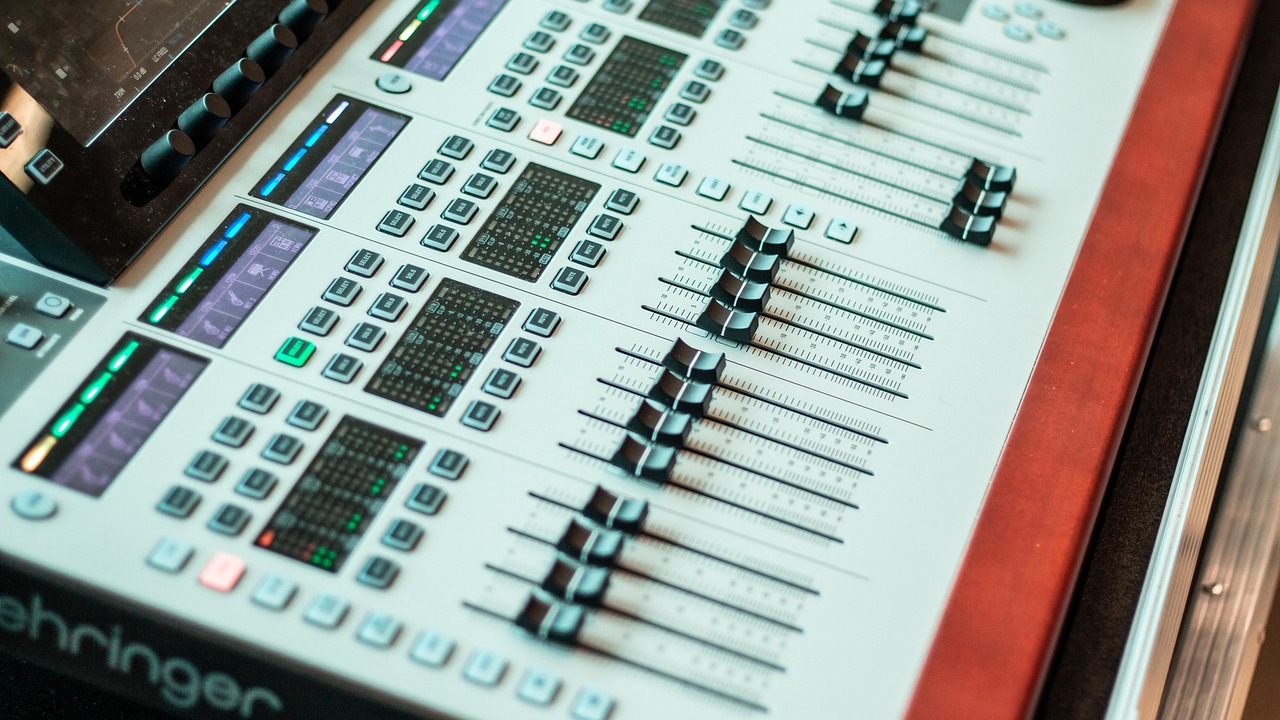
To effectively mix audio for live streaming, it’s crucial to understand your external audio mixer features fully. Each audio mixer will have its unique attributes, so take the time to explore: fader controls, EQ settings, effects, and routing capabilities. Fader controls allow you to manage sound levels easily, so you can adjust music and voice independently. Look for mixers with detailed EQ settings that enable you to tailor sound frequencies, ensuring that your voice shines without being overshadowed by the music. Additionally, pay attention to the onboard effects your mixer offers. These can enhance your audio quality by adding effects like reverb or compression. However, use them judiciously to prevent overprocessing. Also, explore routing options in your mixer. This allows you to direct audio signals to different outputs, ensuring that your stream setup aligns perfectly with your broadcasting needs. Furthermore, practice regularly with your equipment in a rehearsal environment, identifying how each feature affects your audio quality. This will give you confidence when going live and help you avoid technical difficulties that can disrupt your streaming.
Monitoring audio levels is another vital aspect when employing external audio mixers. Investing in high-quality headphones will allow you to hear exactly what your audience will experience. Always monitor your audio during live streams to adjust levels in real-time when necessary. Begin by establishing a baseline volume during the setup phase. As you begin streaming, keep an attentive ear to the sound mix. It can be beneficial to ask a trusted friend or colleague to listen in and provide feedback on audio levels in the background. If adjustments are required, do them discreetly to avoid disturbing the production flow. Additionally, utilizing audio meters on your mixer can help you visualize whether your audio levels are peaking or too low. This visual guide helps maintain the right balance between music and commentary during the stream. Don’t forget to account for different types of music; some genres have a stronger bass presence than others, which can complicate sound balance. Regularly test various music styles in advance to find the best mix for your voice while keeping the stream engaging.
Utilizing Effects and Filters
Another effective method to balance music and commentary in live streaming is utilizing effects and filters wisely. The right plugins can significantly enhance audio quality. For example, use a high-pass filter to reduce low-frequency noise from your microphone. This ensures that unwanted sounds from wind or breathing do not interfere with your voice clarity. Conversely, a compressor can even out the dynamics in your commentary, making soft sounds louder and loud sounds manageable. When combining these effects with background music, be cautious not to overpower your primary audio. Setting up an ideal send-return system on your mixer can be advantageous for this purpose. This layout allows for a smooth blend of audio signals, ensuring that music and vocals coexist harmoniously. Additionally, save your audio settings as presets for future streams. This proactive approach can save time and effort, allowing you to focus more on content delivery rather than technicalities each time. Always trust your ears as the final judges and adjust these settings according to your preferences and the feedback you receive from viewers.
As a live streamer, communication with your audience is crucial, and audio plays a big role. Make it a habit to encourage viewer feedback regarding the audio quality during and after the stream. Implementing feedback processes can help you identify areas of improvement, enhancing future broadcasts. You might also create a small survey or a short poll during your streams to gauge audience reactions in real time. This interactive approach not only helps improve sound balance but also engages viewers by making them feel involved in the quality of the stream. Consider implementing visual indicators on-screen that inform viewers about the current state of your audio mix. This can serve as an alert system prompting them to notify you if something seems off. Remember to maintain an open communication line; viewers appreciate transparency, knowing they are a valuable part of your streaming journey. Additional resources or tutorials from experts in the field can also provide helpful advice on setting up audio mixers for successful streaming. Explore these resources to continuously evolve your skills and audio quality.
Final Tips for Seamless Streaming
In conclusion, mastering audio balance using external audio mixers for live streaming is essential for a seamless and enjoyable experience. Whether you’re gaming, hosting webinars, or conducting interviews, clear audio can make all the difference in viewer retention and engagement. Always prepare adequately before going live. Take the time to rehearse, test audio levels, and identify any potential issues. Balancing commentary and background music might take practice, so start experimenting during non-live sessions. Applaud yourself for learning, as audio mixing is a skill that improves over time. Stay updated on the latest audio technologies and trends relevant to your niche. Instruments and tools evolve, which can provide better mixing capabilities. Adapting to these advancements can elevate your streaming presence to new heights. Continue seeking feedback and evaluating your performance metrics to gauge what works best for your audience. Moreover, don’t hesitate to collaborate with other streamers or audio professionals to gain fresh insights and techniques. As you embrace these practices, your confidence in balancing music and commentary will enhance not only your streams but your entire content creation journey.