
Mastering Live Image Editing for Stunning Social Media Posts
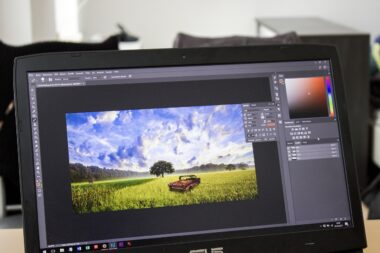
In today’s digital landscape, the power of visual content cannot be underestimated. Social media platforms thrive on captivating images that catch the user’s attention. To stand out, mastering live image editing can elevate your social media game significantly. One of the most effective techniques includes leveraging real-time adjustments to enhance color, contrast, and sharpness. Additionally, tools like Adobe Lightroom and Photoshop offer advanced functionalities to make those quick edits. Consider experimenting with filters and overlays that can provide a unique aesthetic to your posts. Using tools like Canva or Pixlr can also assist in easily creating eye-catching graphics. Don’t forget to maintain brand consistency through your filters and editing style. Users recognize posts from consistent aesthetics. Finally, always remember to save the edited images in optimal formats for social upload. JPEG and PNG formats work best across different platforms, ensuring high quality and quick loading. With these approaches, you can create stunning visuals that resonate with your audience, encouraging engagement and shares.
Among the various methods for effective live image editing, utilizing mobile apps stands out for convenience and speed. Popular applications like Snapseed and VSCO allow for on-the-go editing, making them essential for social media managers and influencers alike. These apps provide intuitive interfaces that simplify complex editing tasks. Users can easily apply filters, crop images, and adjust brightness without needing advanced skills. Furthermore, many of these tools use AI to enhance the editing experience. Features such as auto-adjustments for lighting are great time-savers. Additionally, many apps offer social sharing options that allow users to post directly to their platforms. This can streamline the process and encourage timely postings, capitalizing on trending topics. As mobile photography increasingly gains traction, there’s also a growing array of specialized editing tools tailored for enhancing mobile shots. Hence, learning to navigate and utilize these tools will keep you ahead in the social media landscape. By carefully selecting the right mobile apps, you can create professional-quality images straight from your device.
Understanding Image Formats and Optimization Techniques
One key aspect of live image editing is understanding the different image formats and their implications for social media. JPEG, PNG, and GIF formats each have specific use cases. JPEG is ideal for photographs due to its compression, while PNG offers better quality for graphics with text or logos. GIFs are popular for animations and brief clips. Additionally, ensure that your images are optimized for different platforms. Each social media site, like Instagram, Facebook, or Twitter, has unique image size requirements. By following these guidelines, you ensure that your images maintain clarity and impact. Consider using tools such as TinyPNG or ImageOptim to compress your images without noticeable quality loss. This optimization improves loading times, significantly benefiting user experience. Another helpful strategy is to always use high-resolution images, cropping only when necessary to maintain integrity. The balance of quality and size is paramount in today’s fast-paced online environment. Well-optimized images drive engagement and can increase shares while also making your content more accessible to a wider audience.
Your social media strategy must include a robust plan for creating visually appealing graphics that evoke emotion. The importance of color theory in live image editing cannot be overstated. Different colors can provoke varying feelings and reactions from your audience. A well-thought-out color scheme can drive user engagement and even influence purchase decisions. Tools like Adobe Color can assist in selecting harmonious colors that align with your brand personality. Furthermore, consider the impact of fonts and typography in your graphics. Effective use of text over images can enhance your message, drawing users in. Remember to choose fonts that are easy to read and align with your brand identity. Combining appropriate colors with dynamic typography can lead to stunning visuals that resonate deeply with your followers. Also, consistently repeat these elements across your social media channels to reinforce your brand recognition. Each element, from colors to fonts, works together to create a cohesive and professional look for your content.
Enhancing Engagement Through Storytelling Aesthetics
Visual storytelling has become a powerful technique for engaging audiences on social media. When editing images live, consider how each photo contributes to a larger narrative. This strategy transforms simple visuals into compelling stories that capture audience attention. For instance, utilizing a series of images in a specific order creates an engaging narrative that followers can relate to. Moreover, incorporating captions that explain the context of visuals elevates engagement. Pairing images with narratives encourages viewers to interact through comments or shares. Enhancing photos with overlays that feature quotes or customer testimonials can also amplify this connection. Emotional responses lead to deeper interactions, so strive for authenticity in your storytelling. High-quality images combined with genuine narratives can significantly enhance engagement levels. Always keep in mind your brand voice when creating these narratives, ensuring they resonate and reinforce your identity. Each post should contribute to a cohesive theme that keeps your audience coming back for more stories.
Now that we’ve covered foundational techniques, let’s explore trends driving live image editing today. Augmented Reality (AR) effects are becoming increasingly popular on platforms like Instagram and Snapchat. AR enhances engagement through interactive features that resonate with the audience. Filters and effects that allow users to see themselves in various scenarios add an immersive component to social media posts. Learning to use AR tools available on these platforms allows for more creative freedom. For example, users can place digital elements seamlessly over images, enhancing storytelling. Another trend is the use of video formats among static images. Short videos or GIFs tend to generate more engagement than still images alone. With editing tools becoming more accessible, even non-professionals can create high-quality content. Stay updated with the latest editing trends by following industry leaders and influencers. By participating in this evolving landscape, you can continue to refine your skills and produce content that captures attention, standing out in the crowded social media space.
Final Tips for Effective Live Editing on Social Media
As you embrace live image editing, remember that practice and consistency are essential. Don’t hesitate to experiment with different tools and techniques until you find a style that suits your brand. Additionally, seek feedback from your followers concerning your edited images. Engagement numbers, likes, and comments can provide insight into what’s resonating. Continuously refine your approach based on this feedback to improve your image editing skills. Another important aspect of your digital strategy should be staying informed about evolving design trends. Regular updates in graphic styles, color palettes, and filtering techniques can reshape the effectiveness of your posts. By researching current design trends, you ensure your content remains relevant and appealing. Collaborating with other creatives can also elevate your editing skills; they can offer fresh perspectives or tips that you might not have previously considered. Ultimately, the goal is to create compelling images that not only attract attention but also foster a sense of community and connection with your audience.
In conclusion, mastering live image editing for social media posts is an invaluable skill that can enhance your online presence. By understanding various editing techniques, image formats, and storytelling aesthetics, you can create visually stunning content that captivates your audience. Stay adaptable as you embrace new trends and technologies, ensuring your social media remains fresh and engaging. Consistency in your editing style and visuals can also help reinforce your brand identity across platforms. Ultimately, the combination of high-quality visuals and strategic editing decisions can lead to increased engagement and grow your following. Pair these efforts with authentic storytelling, and you will undoubtedly foster genuine connections with your audience. Keep refining your skills, stay inspired by others, and above all, have fun with the creative process. Engaging visuals can transform your social media presence and turn casual viewers into dedicated followers. Get started today, and watch as your stunning images draw in more users, nurturing a wider community around your content.