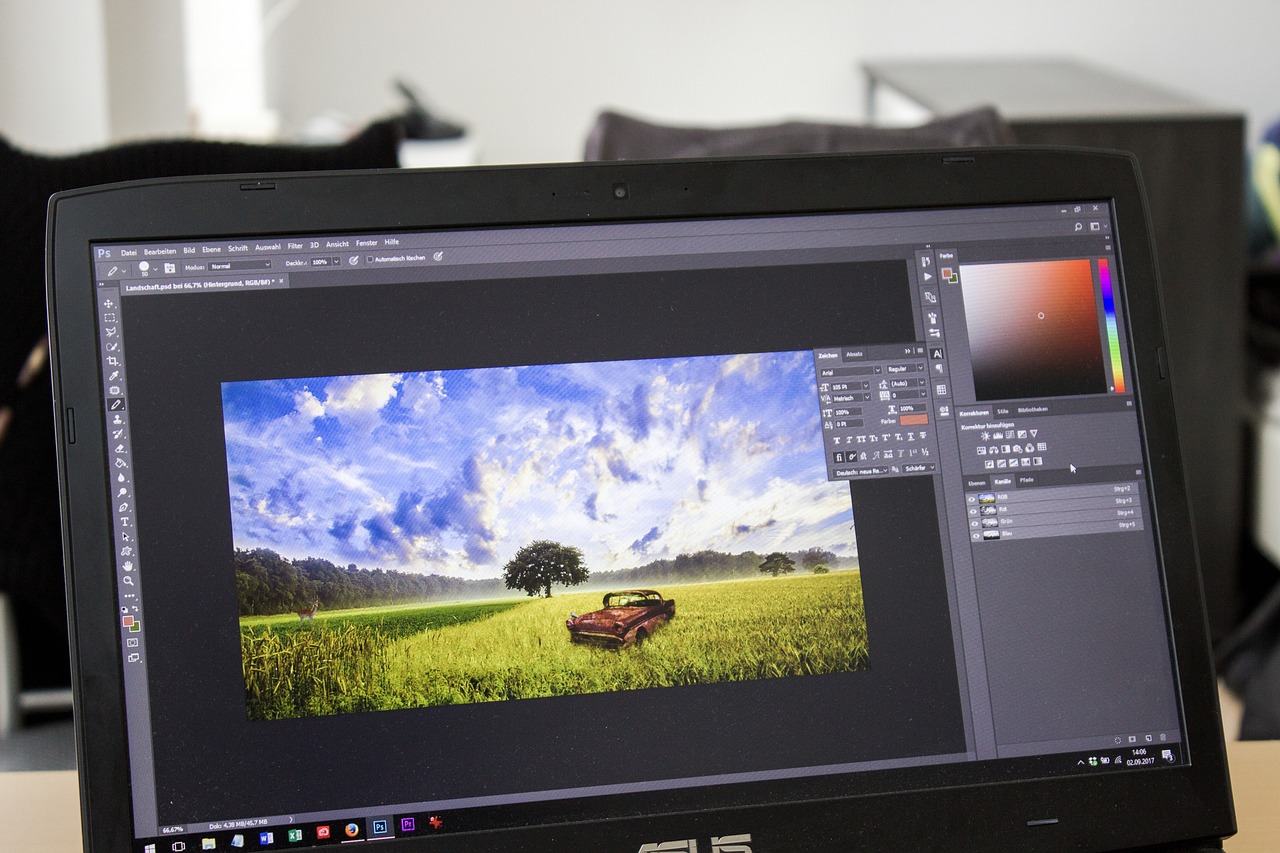

Ultimate Guide to Live Editing Photos for Facebook Sharing
In today’s digital age, visual content plays a crucial role in social media engagement. Facebook, being one of the largest platforms, requires eye-catching images to capture attention. Live image editing is an excellent way to enhance photos before sharing them with your audience. From filters to cropping tools, the possibilities are endless. Understanding how to use these tools effectively can enhance your photos and improve your reach on Facebook significantly. Furthermore, optimizing images for social media requires knowledge of optimal dimensions, file size, and quality. It’s essential to maintain an effective balance between quality and file size to ensure fast loading without compromising the image’s integrity. Leveraging live editing tools allows you to make adjustments in real-time, facilitating immediate sharing. Popular tools include apps like Instagram, Canva, and Adobe Lightroom. By incorporating these elements into your editing process, you can create stunning images that resonate with your audience. Aim to know your audience’s preferences, as this plays a significant role in your editing choices. Make sure to also stay updated on the latest trends to stand out among countless posts on the platform.
Understanding the basics of live image editing is essential for effective Facebook sharing. Knowing how to crop, adjust brightness, and apply filters can significantly enhance your images. Start by focusing on the composition of your photo. Ensure that your subject is well-framed and consider the use of negative space to make your subject pop. Using tools to crop your images can help eliminate distractions, placing emphasis on what really matters. Brightness adjustments are vital, especially for indoor shots or cloudy days, where lighting might not be optimal. Enhancing the warmth of your images can also make them more inviting and increase their chances of engaging viewers. Furthermore, filters are a quick way to give your images a unique flair. They can change the mood of your photo in seconds, but it’s crucial to choose filters that align with your brand’s identity. Too much editing, however, can result in an unnatural appearance. It’s all about finding a balance that resonates with your audience while maintaining visual appeal. Practice regularly with different tools to determine what works best for your images and audience preferences.
Essential Tools for Live Editing
There are various tools available for live image editing that can elevate your social media posts significantly. Popular mobile apps such as Snapseed and VSCO offer a wide range of features perfect for on-the-go editing. Snapseed allows users to fine-tune photos with its precision tools, enabling adjustments in a specific area of the photo. VSCO, on the other hand, is renowned for its filters that provide a film-like effect, making images more stylish and aesthetically pleasing. Additionally, web-based platforms like Canva maximize your editing capabilities, as they blend graphic design with photo editing. Canva’s drag-and-drop feature makes it user-friendly for beginners while offering ample templates to personalize. Also, the mobile version allows for editing right from your phone. Don’t forget to utilize Adobe Photoshop or Lightroom for more advanced editing techniques. These programs provide extensive control and capabilities for professional results. Investing time in learning how to use your chosen tools can make your social media images stand out among competitors and contribute to your overall branding strategy.
Image quality is paramount when it comes to social media sharing, especially on platforms like Facebook. High-resolution images capture attention faster and convey professionalism. It’s crucial to understand that uploading lower-quality images can diminish your brand’s perception among users. Ensure your photos are of the highest quality possible before editing. When exporting images, keep in mind Facebook’s preferred image dimensions and formats; generally, a 1200 x 630 pixel size works best for link shares, while cover images require different resolutions for optimal display. Be mindful of file types as well; JPG files are the most commonly used on Facebook due to their balance of quality and file size. Avoid overly large files that might load slowly, as users are likely to scroll past images that take long to appear. Lastly, prioritize clarity and brightness to enhance user engagement. Your edited images should be bright enough to draw viewers in yet clear enough to depict your message accurately. Monitoring engagement levels can help you refine your photo quality standards over time, ensuring continuous improvement.
Best Practices for Editing Photos
When editing photos for Facebook sharing, adopting best practices is essential to ensure optimal engagement. First, always maintain a consistent style across your social media profile. Recognizable visuals will strengthen your brand identity and make your posts more memorable. Secondly, utilize natural colors instead of exaggerated or overly enhanced hues. Bright but realistic tones resonate better with audiences and appear more authentic. Keep an eye on composition rules, such as the rule of thirds, to position key elements appropriately within the frame. Creating contrast in your images can draw attention to specific areas, compelling viewers to engage with your content. Consider also incorporating text overlays; however, use them sparingly for clarity, and ensure that the font matches your brand style. Moreover, encourage user interaction by asking questions or prompting discussion within your captions. Images can support your narrative and stimulate engagement, ultimately improving your visibility on the platform. Don’t forget to analyze how your audience responds to different images to continually refine your editing strategies for superior outcomes.
Incorporating graphic elements into your live-edited images can set your posts apart on Facebook. Adding stickers, borders, or logos into edited photos can enhance their uniqueness while promoting brand recognition. Services like Canva or Over have an array of design features that can help you seamlessly integrate these elements into your photos. Another way to make your images pop is by playing with text and typography. It is critical to select fonts that match your branding, keeping styles consistent across all visuals. Using clear, readable fonts is essential to avoid confusion, as users should grasp your message effortlessly. Additionally, consider incorporating user-generated content into your editing strategy. Sharing photos taken by your audience not only fosters community but provides you with unique content ready for editing and sharing. It builds loyalty and allows for organic engagement. Always credit the original creator since it promotes goodwill and boosts your credibility. By creatively combining visuals and consistent branding, you can create a coherent aesthetic that attracts and retains followers, elevating your overall social media presence.
Final Thoughts on Live Editing
Mastering live image editing for Facebook sharing is a crucial skill in today’s social media landscape. With the right tools and strategies, anyone can enhance their photos and create visually appealing content. Regular practice and familiarity with various editing applications will improve your efficiency over time. It’s essential to keep experimenting while analyzing what resonates best with your audience. Don’t shy away from taking inspiration from successful brands; rather, observe their style and adapt their elements to fit your unique aesthetic. The aim is not just to stand out but also to create a cohesive visual story across your social media profiles. Crafting a captivating narrative through your images can amplify engagement substantially. Set measurable goals and track progress, whether it’s through likes, shares, or comments. In conclusion, live image editing is not merely a technical skill but an art form that, when done right, can significantly enhance your social media presence. Embrace your creative side and let it reflect in your Facebook posts, ensuring continued audience growth and interaction.
As you begin implementing your live editing skills, remember that consistency and authenticity are keys to longer-term success on social media. Regularly engaging with your audience through polls, questions, or feedback can provide insights into their preferences, helping to refine your content strategy continually. It’s beneficial to stay updated on trends in both photography and social media to remain relevant. Taking the time to understand new features and tools can also provide you with added advantages over competitors. Participate in workshops or tutorials to improve your knowledge actively. Your journey in mastering live image editing doesn’t end here; it’s an evolving process that requires both patience and persistence. Don’t hesitate to invest in high-quality tools over time if necessary, as better software can yield superior results. Incorporating new techniques regularly will evolve your style, keeping your followers engaged. Ultimately, the goal is to create a visually appealing and cohesive social media presence. Celebrate your successes and learn from the failures; each contributes to your growth as a content creator. The journey of live image editing is continuous, and embracing it with enthusiasm can lead to rewarding outcomes.