
How to Update Your Email and Phone Number in Snapchat Account
Updating your email and phone number in Snapchat is essential for maintaining account security and ensuring smooth functionality. Initially, open the Snapchat app and navigate to your profile by tapping on your Bitmoji icon located in the top-left corner of the screen. This easy step helps you access your account settings. Once on your profile page, tap the gear icon in the top-right corner, which represents the settings menu. This takes you to a variety of settings options tailored for your account management. In the settings menu, scroll down until you find the ‘Email’ section. Here, you can see your current email address. To update it, tap on the existing email address and enter your new email. You will then receive a confirmation link in your new inbox. Make sure to click that link to verify your new email. Similar steps apply to changing your phone number, found in the ‘Phone’ section. Tap to change your number and input the new digits. You will also receive a verification code to confirm your new phone number for security.
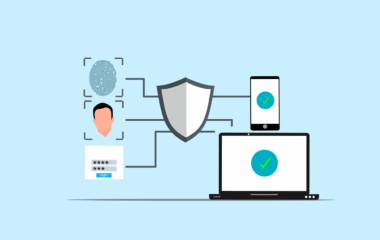
Ensuring that the email and phone number linked to your Snapchat account are updated regularly protects you from potential account hacking. A compromised email or phone number can lead to unauthorized access, resulting in loss of account data. Following the steps outlined in the previous section is crucial for safeguarding your profile. After updating your contact information, Snapchat may prompt you to verify your identity. This ensures that any changes made were intentional and authorized by you. Remember that your email is essential, especially for password recovery. If you ever forget your password, having access to your registered email will allow you to reset it quickly and securely. Additionally, always check for any notifications from Snapchat regarding security alerts. Create a strong password, incorporating letters, numbers, and symbols, as this minimizes the risk of someone else gaining access. Regularly change passwords and avoid using the same password for multiple accounts. It’ll keep your Snapchat safer. In case you receive suspicious messages or notifications, don’t hesitate to report such instances to Snapchat’s support team for assistance and protection against further issues.
Verifying Changes Made to Your Account
Once you’ve successfully updated your email and phone number, Snapchat will send you verification messages. It is crucial to verify these changes promptly. The verification messages will be sent to your new email and phone number, so ensure you have access to them. Check your email inbox for a verification email, and make sure to click the confirmation link within it. This step ensures that you have full control over the email associated with your account. Similarly, for your phone number, Snapchat will generally send you a verification code via SMS. Enter the code in the app to confirm that you are indeed the rightful owner of the new number. If, for any reason, you do not receive verification messages, double-check that the email and phone number entered are correct. Additionally, check your spam or junk folders for missed emails. If problems persist, you might want to try resending the confirmation. Staying vigilant with your account details is essential for seamless use of Snapchat and to avoid missing important updates or notifications regarding your account.
It’s essential to consider additional security measures after you’ve updated your account details. Two-factor authentication (2FA) adds an extra layer of protection to your Snapchat account. By enabling 2FA, Snapchat will require not only your password but also a code sent to your phone each time you log in. Activating this feature can drastically reduce the chances of unauthorized access. Be sure to regularly review your account settings to keep track of who has access to your information. Snapchat allows you to manage your friends list and block unwanted interactions. Utilize these features to your advantage, ensuring that your privacy remains intact. Always be cautious about who you share your Snapchat username with, as public exposure can lead to unwanted account access attempts. Educating yourself regarding Snapchat’s safety features helps in creating a secure environment for your personal data. If you notice any suspicious activity in your account, report it immediately via the Snap support. Take steps to alert your contacts about any unusual messages allegedly sent from your profile, reinforcing trust and communication between you and your friends.
Maintaining an Active and Engaged Snapchat Profile
Keeping your Snapchat account interactive and engaging for your friends is also vital. Regularly update your friends with stories, snaps, and fun content. Activity on your profile not only entertains but also fosters connections. By consistently posting relevant and enjoyable content, you keep your audience interested. Furthermore, don’t hesitate to review your privacy settings frequently. Important updates might alter how you interact with others on the platform. Adjust who can see your stories and contact you according to your comfort level. Balancing privacy with social interaction helps you curate a more enjoyable Snapchat experience while keeping your data secure. Take advantage of other Snapchat features, such as filters and lenses, to make your snaps unique. Share your creativity with friends in a visually captivating way to encourage responses. Engaging with friends’ posts will boost interaction and notification alerts. This includes commenting on their stories or sending them snaps back. Genuine interaction enhances friendships and keeps content fresh and exciting. Learning the platform’s latest trends helps you stay relevant and connected to the Snapchat community.
In conclusion, updating your email and phone number in your Snapchat account is a straightforward process. By following the steps outlined earlier, you can maintain secure, efficient access to the app. It’s a small yet significant aspect of managing your account that can help avoid bigger issues in the future. Pairing these updates with good security practices enhances your account’s safety. Remember to verify any changes promptly to avoid access problems. Take advantage of Snapchat features that assist in protecting your information while allowing you to enjoy the social aspect of the app. Regularly review your connected devices and active sessions in your account settings. This ensures no unauthorized use of your account remains unnoticed. Being proactive is the key to a secure Snapchat experience. Remember to engage with friends and share experiences. Your Snapchat story should reflect your authentic self while keeping safety a priority. By blending creativity with security, you create an enjoyable environment not only for yourself but for your entire Snapchat community. Never underestimate the importance of digital security; it’s integral to enjoying a fulfilling experience on social platforms like Snapchat.
Common Issues and Solutions
You may encounter some common issues while updating your email and phone number on Snapchat. These challenges can often be resolved easily. One common issue is not receiving the verification email or SMS. This can happen if the provided contact details were entered incorrectly. First, re-check the details entered to ensure accuracy. If they’re correct but you still haven’t received a message, consider using an alternative email or phone number for verification. Additionally, check your spam folder or filtered messages in your inbox. Another issue might relate to account lockouts after too many failed verification attempts. If your account is temporarily locked, wait for a brief period before trying again. When updating email and phone numbers, ensure you have stable internet access, as connectivity issues can complicate the process. Consider restarting the app or your device to troubleshoot minor issues. If persistent problems occur, contacting Snapchat support can provide guidance. They can assist you in resolving account-related issues while ensuring you regain access with minimal hassle. Utilizing the help center is an excellent idea to find additional resources specific to Snapchat account management.
Finally, keeping your Snapchat account secure is of utmost importance. Always be mindful of suspicious links or individuals trying to gain access. Stay informed about Snapchat’s latest security features, as these updates are essential. Participating in discussions on Snapchat forums can enhance your understanding of the app’s capabilities. Engaging with experienced users might point out best practices to ensure your profile remains safe. Following official Snapchat channels for news about features or changes will keep you updated. Additionally, watch out for security tips shared by the community to improve your overall experience on the platform. Remember that no account is completely immune to being hacked, but taking proper precautions dramatically lowers the risk. Maintaining awareness of your activity and regular updates ensures that you are in control of your Snapchat journey. The dynamic nature of social media entails responsibility, particularly when it comes to personal data and online connectivity. The balance between engagement and privacy ultimately contributes to a positive experience. In conclusion, through responsible account management and regular updates, you can enjoy Snapchat securely while connecting with friends and family efficiently.