
Top Equipment Needed for Professional YouTube Live Streams
For any aspiring YouTube content creator, the right equipment is vital for a successful live streaming experience. With live streaming gaining momentum, investing in quality gear is essential to impact your audience. A high-definition camera is the first step. Look for models that support 1080p or even 4K streaming, ensuring your visuals are crisp and professional. Additionally, a reliable microphone is crucial for clear audio. Consider a shotgun or even a USB condenser mic to capture your voice accurately. These mics filter out unwanted background noise, providing a clean sound. Lighting can drastically change the quality of your stream. Softbox lights or ring lights can illuminate your setup, enhancing video quality. A stable internet connection, preferably wired, plays a significant role to minimize lag during streaming. Consider using an ethernet cable over Wi-Fi for consistency. Other accessories like tripods, which stabilize the camera, can elevate production quality. Finally, an encoder is essential for streaming software; tools like OBS or Wirecast can help you manage your live broadcasts effectively. Investing wisely in these tools can significantly enhance your live stream experience.
The next important aspect of setting up live streams is choosing the right streaming software. Popular software like OBS Studio, Streamlabs OBS, and XSplit are excellent options. These programs allow you to customize your stream layout, manage multiple video sources, and include overlays for branding. It’s crucial to select user-friendly software that fits your skill level, ensuring smooth broadcasts. Testing your setup before going live is also vital. Run a private stream to check audio and video quality, making necessary adjustments before announcing to your audience. Another key element is your streaming platform. YouTube Live, Twitch, or Facebook Gaming each provide unique features and audience types. Understanding where your target audience congregates will influence your choice of platform for streaming. Engaging with your viewers through chat interactions during the live stream is essential; consider using a second monitor to manage chat responses. Keeping the discussion lively helps build a community around your channel. Regular streaming schedules foster expectations among viewers, increasing engagement and followers over time. Consistency plays a pivotal role in retaining viewers and growing your channel successfully.
When thinking about YouTube live streams, the camera setup is critical for production quality. Use a DSLR or mirrorless camera for the best results possible, as they provide exceptional image quality. Pairing it with a good lens can improve visual depth and focus. Ensure you’re familiar with manual settings to adjust for light conditions during streams. A camera should have streaming capabilities or support live outputs. Use capture cards, like Elgato HD60s, to connect your camera to a computer. They help transition the video signal seamlessly while maintaining high resolution. Additionally, consider camera stabilization techniques, like gimbals or tripods, which can prevent shaky footage. The framing of shots adds professionalism; follow the rule of thirds for visually appealing compositions. Understand your surroundings and control distractions, as background noise or movement can divert attention during a stream. When setting up, ensure your host location is aesthetically pleasing. Backgrounds matter significantly; use branded backdrops or virtual backgrounds if appropriate. This creates an immersive viewing experience for your audience and elevates your overall production quality.
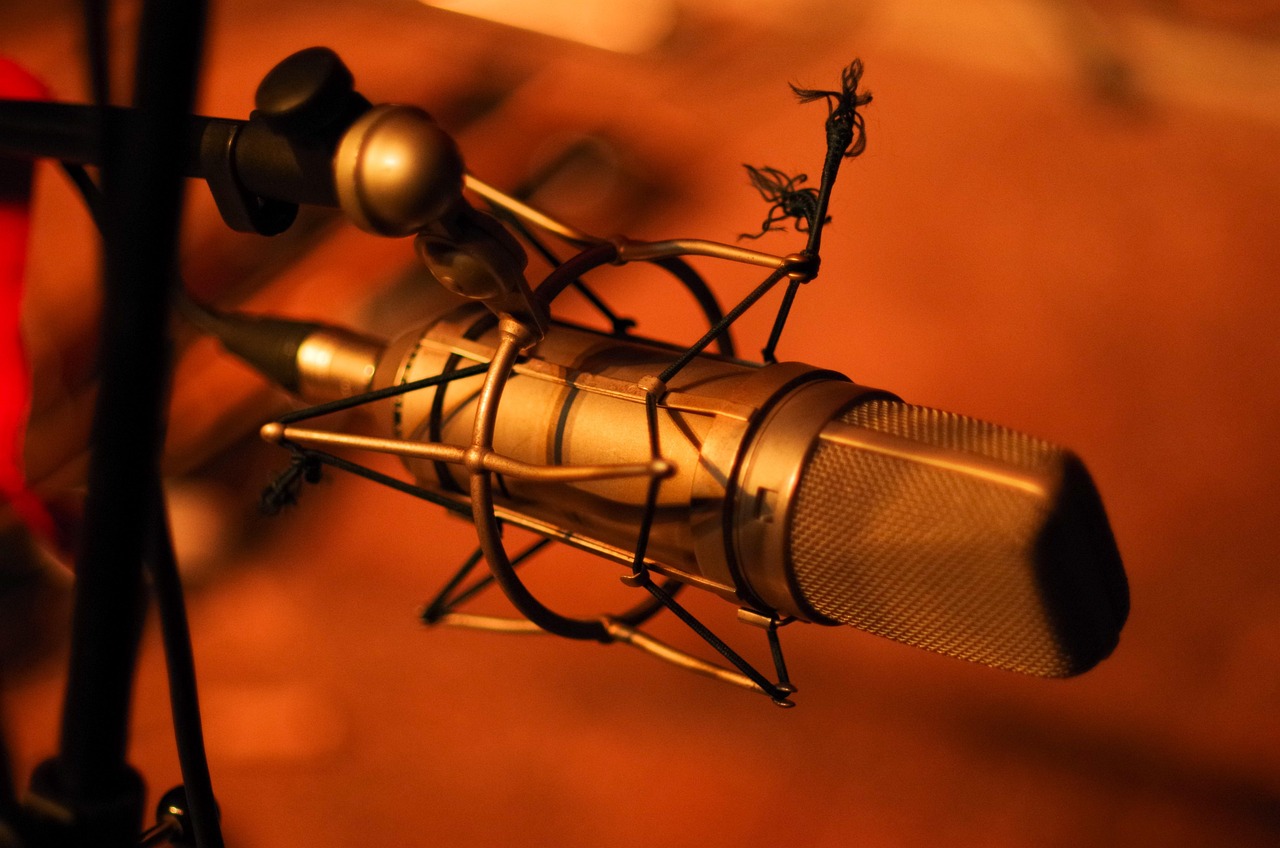
Sound quality cannot be overlooked when preparing for live streams. Viewers will quickly leave if they cannot hear you clearly, making a good microphone integral to success. Consider a lavalier microphone for mobility if you’re moving around or a shotgun mic for stationary setups. This ensures that your voice remains the focal point during your stream. Also, invest in pop filters and foam screens for microphones to reduce unwanted sounds and improve clarity. In addition, soundproofing your setup helps eliminate echoes and ambient noise. Use soft materials like carpets, drapes, or acoustic panels in your streaming space to absorb sound. Proper audio balancing in your mixer settings can further enhance sound quality. This prevents interference from background noise and maintains clear communication with your audience. It’s also essential to do sound checks regularly. An audio interface can help connect various microphones and give you better sound control. Monitor audio levels visually before starting to catch potential problems. Making audio a priority leads to a more professional streaming experience, elevating viewer satisfaction throughout your broadcasts.
Lighting Techniques for Enhancing Your Stream
Lighting is one of the critical pillars of producing visually appealing YouTube live streams. Proper lighting enhances scenes and will make an enormous impact on your video quality. Natural light is fantastic, but it’s often unpredictable; therefore, investing in artificial lighting solutions is a smart choice. Softbox lights provide excellent diffusion, while ring lights can create an attractive fill. Position lights in front and at the sides for even illumination, making sure shadows do not obscure your face. The temperature of the lights matters too; warm light creates a cozy atmosphere while cooler light gives a more energetic feel. Experimenting with light setups speeds up optimal results for your stream aesthetics. Avoid overhead lights that cast shadows, as they can be distracting. Investing in dimmable lights allows for more control of intensity, especially during evening streams. Always test your lighting before you go live so you can adjust them as needed. A well-lit setup not only highlights your features but also works as a tool for storytelling, engaging viewers deeper into your narrative.
For effective YouTube live streams, promotional strategies are essential. Having the right equipment and setup is only part of the process—building an audience is the other. Start by announcing your live stream across your social media platforms and with email notifications to engage your audience early. Craft compelling promotional content with clear calls-to-action enticing viewers to join your live event. Interactive elements, such as giveaways or Q&A sessions, motivate viewers to participate actively. Use graphics and video teasers to build anticipation ahead of the stream. Regular trailers can help garner interest and inform audiences about the topics you’ll discuss. Create unique hashtags relevant to your stream to engage meaningfully with viewers online. Leverage collaborations with other creators to tap into their audiences and enhance visibility. Collaborations with influencers can broaden reach exponentially—this mutual benefit can help both channels grow. Remind viewers about upcoming streams during previous ones, building excitement and continuity within community interaction. Lastly, analyze past streams using viewership analytics. Adjust strategies based on what resonates with your audience for continuous improvement in future live streams.
Your streaming setup will likely need continuous upgrades to keep pace with evolving technologies. YouTube content creation is dynamic, requiring you to stay up-to-date on the latest streaming trends and tools. To enhance your streaming quality, look for gear upgrades every year; this includes cameras, microphones, and lighting equipment. Innovations, like improved streaming software features, can provide exciting ways to interact with your audience that were not available before. You’ll want to read industry blogs and watch tutorial videos regularly to keep enhancing your skills. Engagement strategies are also evolving—consider incorporating new features provided by platforms or utilizing polling during live streams. Embrace feedback from your audience as a valuable source of improvement. Regularly visit forums related to YouTube and content creation topics to share insights. Building a community around your channel can lead to long-term success with your streaming endeavors. Allow your audience to influence content delivery as this builds loyalty. Observe successful fellow creators and learn from their journeys while retaining your unique style that resonates with your viewers. Your evolving setup should reflect personal growth and adaptability.
In conclusion, the secret to a high-quality YouTube live stream lies in quality equipment, thoughtful setup, and continued learning. After selecting necessary tools like cameras, microphones, and lighting, understanding how to utilize them effectively plays a pivotal role. Continue refining your skills through practice and feedback, while also exploring trends in technology and techniques relevant to live streaming. Nurturing and engaging your community around your content will also affect your channel’s growth. Schedule regular streams for consistency, allowing viewers to engage at favorite time slots. Acknowledge and celebrate milestones with the audience to build a stronger connection. As you refine your craft, don’t hesitate to ask for viewers’ input, enriching the participatory experience crucial to live streams. Assessing the performance of your streams based on viewer feedback is vital; adaptive strategies lead to improvement. Finally, remember that live streaming is as much about storytelling as it is about technical skills. Each stream is an opportunity to connect and create memories with your audience—make every session your best yet! Embrace challenges and flaws; they often lead to some of the most authentic moments that resonate deeply with viewers.